
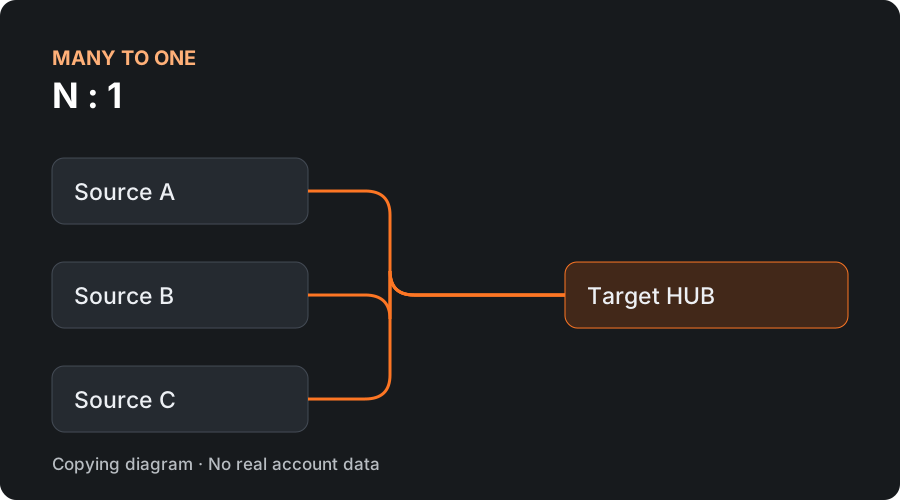
N : 1
Many to one
Consolidate several source accounts in one destination. The copier keeps a separate record for each attributed trade, even when the destination account nets the positions.
For workflows with several strategies or source accounts.
Bring several source accounts into one destination, or replicate one source across multiple accounts. Set up instruments, quantities and controls in a single workspace.
A desktop add-on for NinjaTrader 8 on Windows. Currently under development and simulation validation.
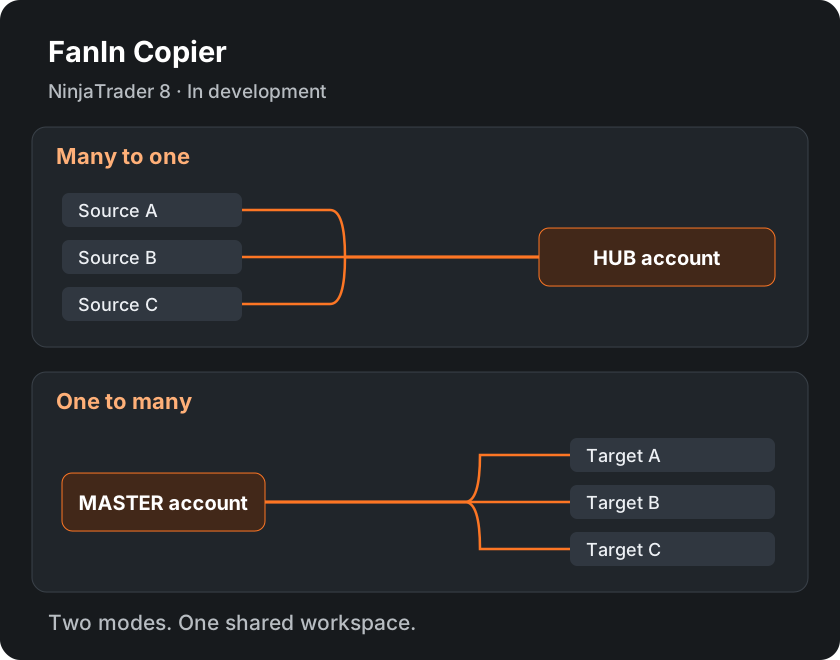
Choose how source and destination accounts relate. These are separate copying modes, not an automatic two-way loop.
Consolidate several source accounts in one destination. The copier keeps a separate record for each attributed trade, even when the destination account nets the positions.
For workflows with several strategies or source accounts.
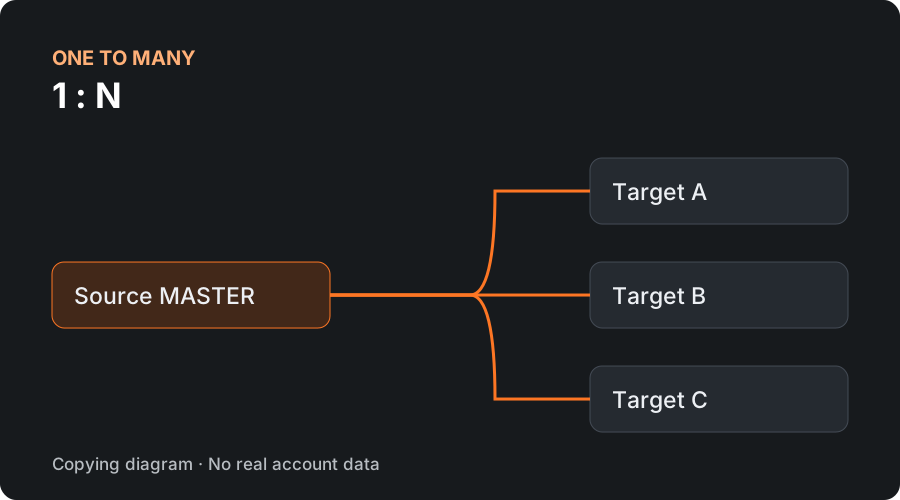
Replicate a single source across several destinations. Each destination has its own trade record, fills and protections; the configured instrument limits apply to each destination account.
The instrument mapping table is shared by the destinations in the same route.
A visual look at the configuration and tracking areas.
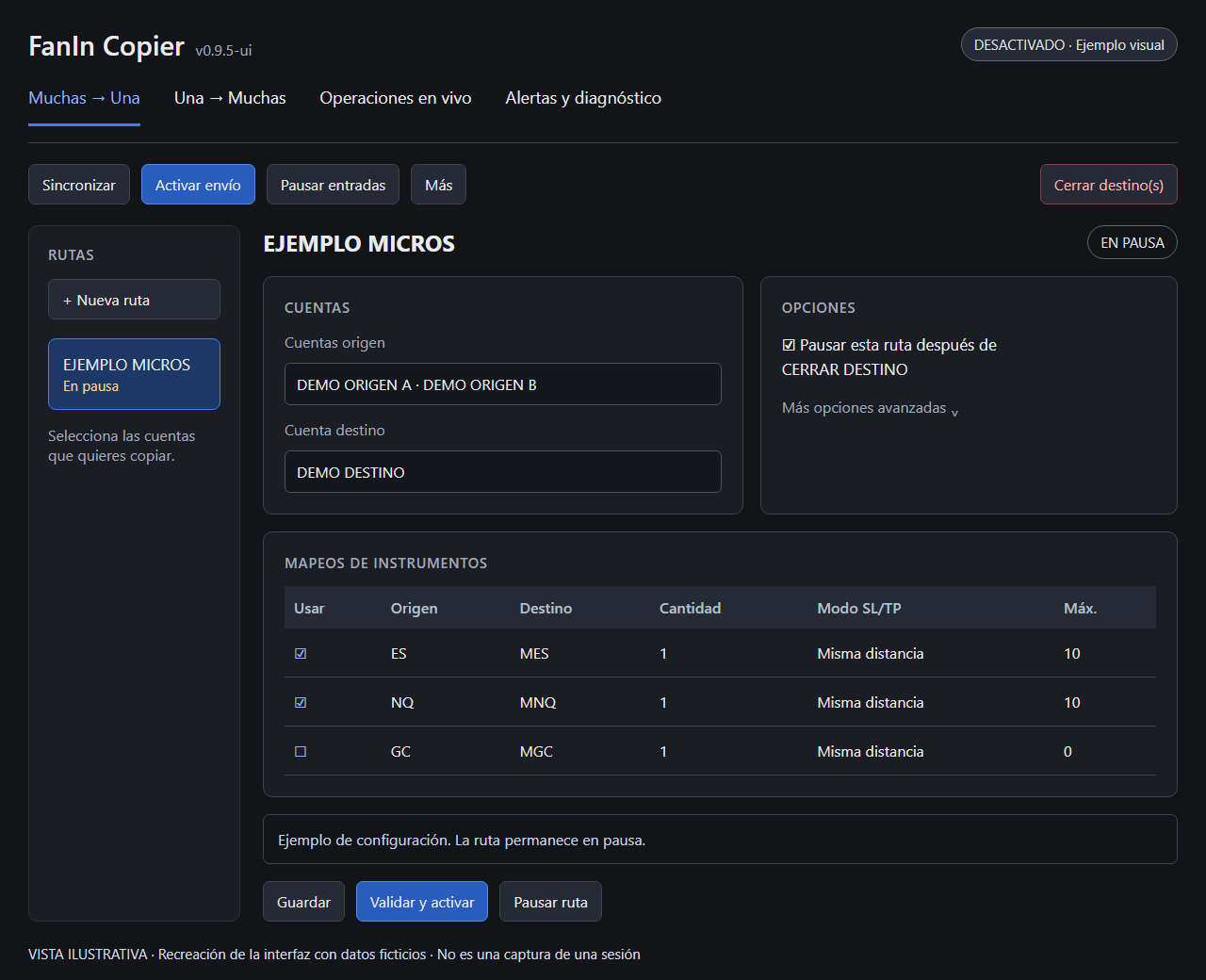
Select accounts, map instruments and review quantities before enabling the route.
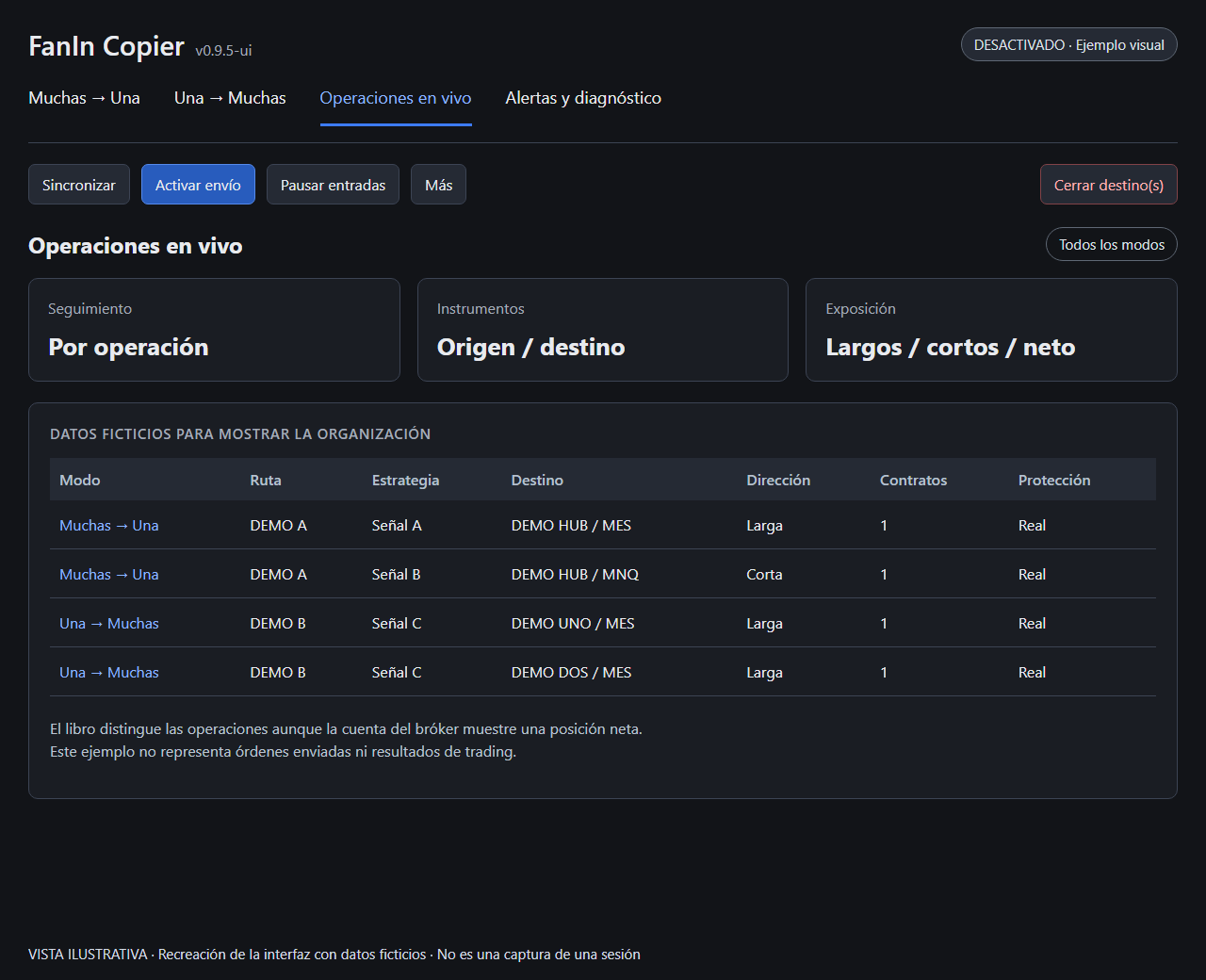
The trade book separates strategy, account, direction and protection information.
Illustrative recreations based on the project’s current interface, shown in Spanish with fictitious data. They are not screenshots of a trading session. Select an image to enlarge it.
The focus is on account routing and order management. FanIn Copier does not generate trading signals.
Set source and destination instruments, including ES/MES, NQ/MNQ, GC/MGC and 6E/M6E, with configurable contract quantities.
Adjust multipliers and maximum contracts by instrument and destination. The copier validates the route before activation.
Track stop loss and take profit for each child trade. Real-order and software protection modes address different operating states.
Distinguish trades by strategy and signal, track partial executions and see long, short and net exposure. Only executions that can be attributed reliably are copied.
Compare the trade book with the account state. Review blocks, order events and diagnostic messages before resuming entries.
Export routes and mappings to another PC. Live positions, orders and broker credentials are excluded from the configuration backup.
The application starts with order sending disabled and new routes paused. Enabling order sending requires validation and an explicit confirmation.
Choose the copying mode, source accounts and destinations.
Set instrument mappings, multipliers and maximum contracts.
Review connection, instrument and trade-book checks in a simulation environment.
Enable order sending explicitly and monitor the routes, trades and alerts.
The project includes automated checks and compilation against NinjaTrader libraries. Operational scenarios in NinjaTrader still require simulation validation before use with live or funded accounts.
There is no public download or announced pricing at this stage. Contact Collaide for information about the project.
It is an add-on that observes configured source executions and manages copying to destination accounts. It does not decide when to buy or sell, generate signals or promise performance.
A single route shares its mapping table and settings across its destinations. For different mappings or quantities, configure separate routes with the same source and different destinations.
The current copying flow starts when a source execution is received. It is not a complete mirror of every pending entry order, and fills may occur at different prices or times.
The copier runs inside NinjaTrader 8 on Windows. Software-managed protection needs the application, PC and market data to stay available. The current design does not provide an independent cloud service.
Configuration export and import includes routes, mappings and strategy prefixes. It excludes live trades, order journals and broker credentials. Imported routes remain paused for review.
Write to [email protected] with your NinjaTrader version and intended account layout. Collaide can explain the current state and requirements; a public release date has not been announced.
Share your platform version and copying workflow. We will explain the project’s current scope and requirements.